Present by default for the whole class — teachers flag only who's absent, and that child's parent is notified in the same moment. No paper register, no spreadsheet.

Key benefits
How it works

Instead of a spreadsheet or a paper register, a teacher or supervisor opens the BlueRide app and picks the class they're taking attendance for.

Everyone starts marked Present — the teacher just taps the few students who are absent, so a whole class is done in seconds.

The moment a student is marked absent, their parent gets an automatic notification about it — and a prompt to submit the reason for the absence.

Attendance across every grade rolls up into one dashboard, so the office can spot a pattern — a grade, a bus route, a week — at a glance.
What actually changes
The usual way — The register and the spreadsheet
Attendance is kept by hand on paper registers or typed into Excel, class by class — then collected and reconciled somewhere else before anyone outside that room can see it.
The office sees present, absent and late counts for every grade the moment the day starts — without collecting a register or a spreadsheet from a single classroom.
Everyone's Present by default, so a teacher just taps the few who are absent — a whole class in seconds, no sheet passed around, no spreadsheet to keep.
The moment their child is marked absent, parents are notified — and can submit the reason right there — instead of finding out hours later.
Inside the product
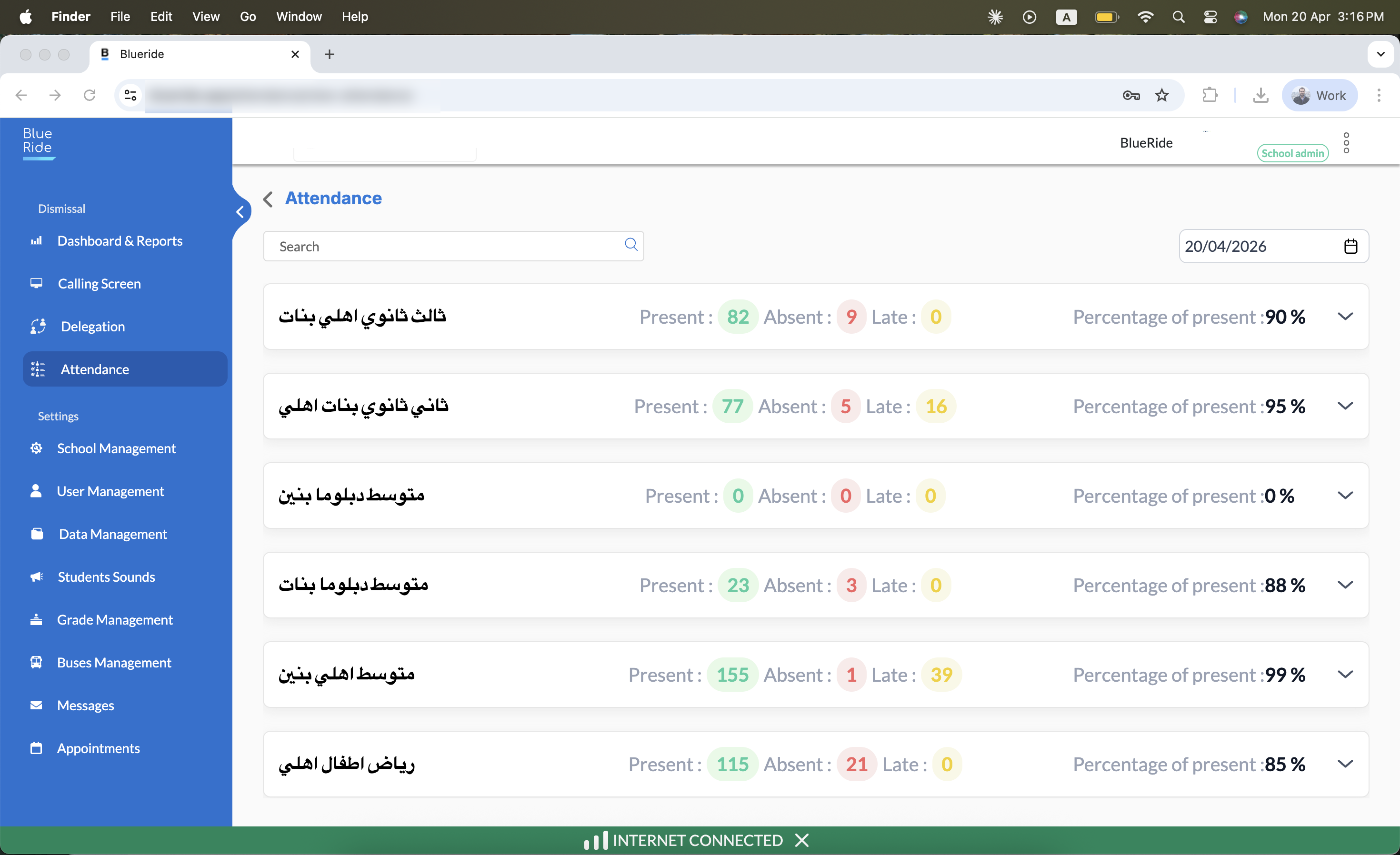
6 grades on one screen, kindergarten through senior year — a search and date picker up top, present/absent/late counts per grade.
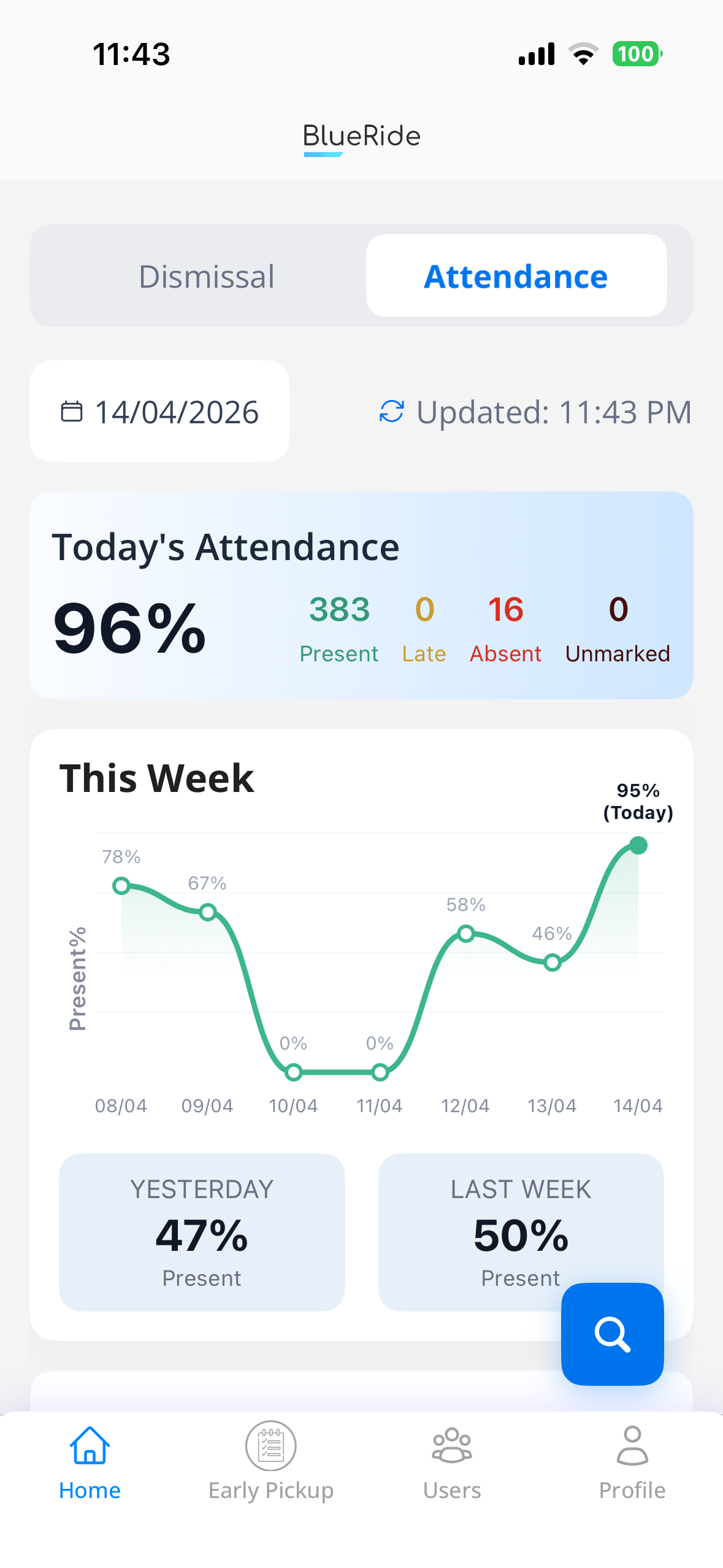
Two views, one system
Attendance by grade, by day, and by student — without chasing a spreadsheet or a paper register from any classroom.
Parents see their own child's attendance summary, and the moment their child is marked absent they're notified — and asked to submit the reason.
Straight from users
Common questions
A teacher or supervisor opens the BlueRide app, selects the class, and marks only the students who are absent — everyone else stays Present by default. No paper register, no Excel sheet.
No — parents only see their own child's attendance summary and get notified if something changes; the office is the one with the whole-school view.
Their parent gets an automatic notification about the absence and is asked to submit a reason — so the office isn't chasing phone calls, and the reason is logged against that day.
Yes — attendance across every grade rolls into one dashboard, so a pattern in a grade, a bus route, or a week is visible at a glance.
One more question?
Ask about anything on this page out loud, right now — instant answers, no hold music.
Explore the platform
Everything your school runs through the day — in one system.
Ready to start
Book a live 20-minute demo with our team, or send us your school's numbers and we'll put together a detailed quote.


