Every student released to a verified adult, with a record of who collected them and when — not a name yelled over a loudspeaker into a crowded playground.
Key benefits
How it works

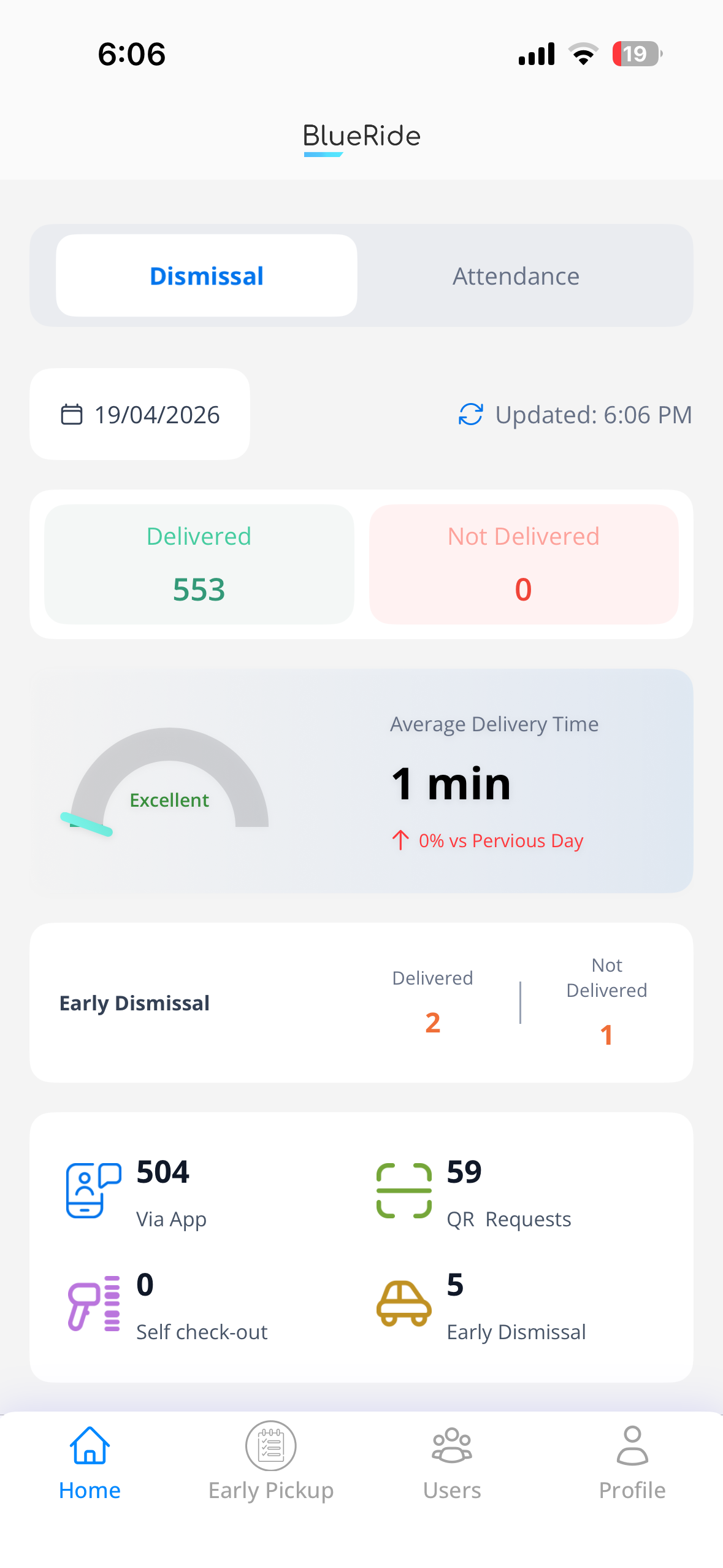
When it's time to go, whoever's collecting taps “pick up” in their own BlueRide app — the parent, or a driver or relative the parent authorized once. No internet on their phone? Their QR code is scanned at the gate instead.

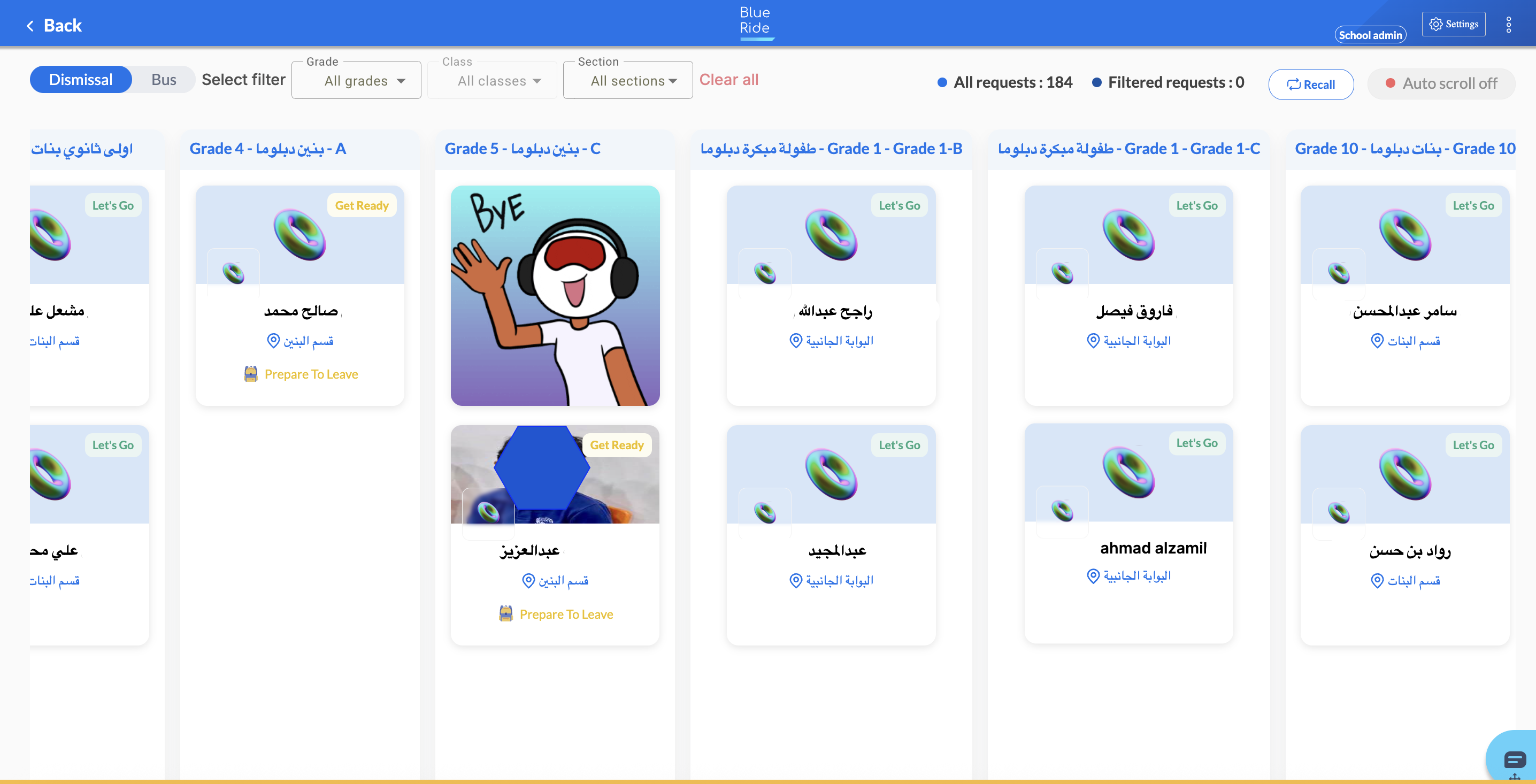
The request lands on the school's smart board and every staff member's app at the same moment — so the gate team and teachers see exactly who's waiting, with no name shouted over a microphone.

The student's teacher sees the request the moment it arrives, gets the child ready, and walks them to the gate once their verified adult is nearby — instead of a child left to catch their own name over the playground noise, out in the heat.

The child is released only to the verified adult — the parent or an authorized assistant — the hand-off is logged with exactly who collected them and when, and it lands in the school's dismissal report while the parent sees it confirmed in the app.
What actually changes
The usual way — The shouting-and-microphone scramble
Parents crowd the gate and shout names to a guard, who repeats them over a microphone into a noisy playground — no one sure a child even heard, no record of who finally collected them, and kids left waiting in the heat.
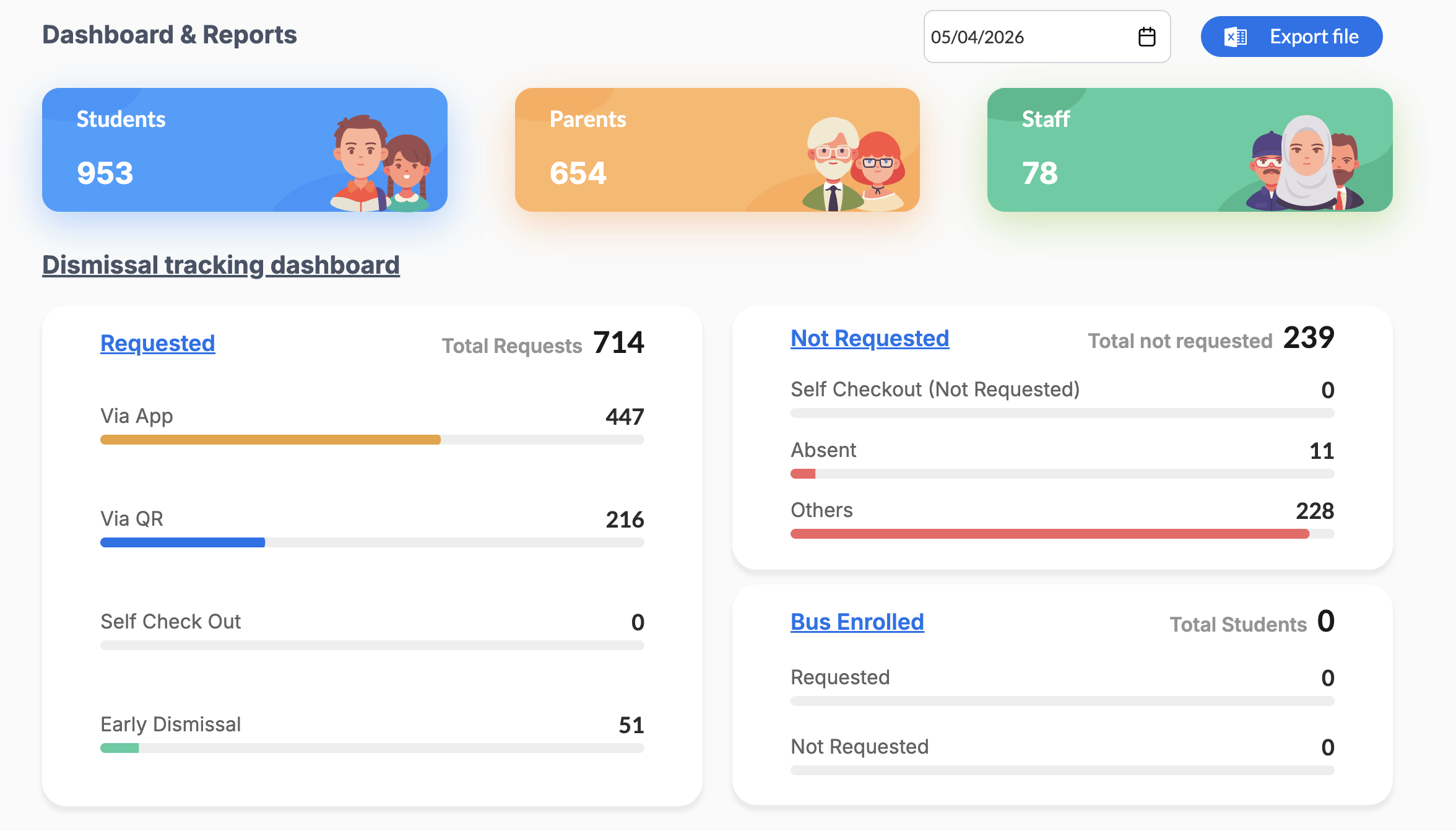
The office pulls a full day's dismissal — every hand-off, every method, every timestamp — into one exportable report instead of reconciling paper sign-out sheets.
Gate staff see exactly who's waiting and for whom on one screen, and log each hand-off as it happens — no names shouted over a microphone for hours, no guessing whether the right adult turned up.
Every hand-off goes to a verified adult and is logged — so a child leaving with the wrong person, unrecorded, simply can't happen, and you're notified the moment yours is collected.
Two views, one system
The office sees who's requested pickup by app or QR, who collected each child, who's marked absent and who's on the bus — and exports the full day's report in one click.
Add your drivers, relatives or a spouse to your Assistants list once — each collects from their own app, with no daily arranging — and switch anyone's access on or off with a single tap whenever you need.
Straight from users
Common questions
No — dismissal can be requested through the BlueRide app or by scanning a QR code, and the office's report shows both side by side.
Yes. In the app's Assistants section you authorize your drivers, a bus driver, a spouse, relatives or other guardians — once. Each then requests pickups from their own BlueRide account (or a QR code scanned at the gate if they're offline), and you can disable or remove anyone with a single tap, any time.
That depends on your setup — email info@blueride.co and we'll walk through what you're already running.
Yes — the office dashboard shows who's requested pickup, who's marked absent, and who's still waiting, exportable as a full day's report.
One more question?
Ask about anything on this page out loud, right now — instant answers, no hold music.
Explore the platform
Everything your school runs through the day — in one system.
Ready to start
Book a live 20-minute demo with our team, or send us your school's numbers and we'll put together a detailed quote.